Examples

See the model in the terminal.

Run byhand where you already work, then navigate the model and inspect individual operations without switching to another application.

Terminal workflow

Terminal showing the byhand welcome screen and the command byhand model --ollama tinyllama
01 Run a model from the terminal
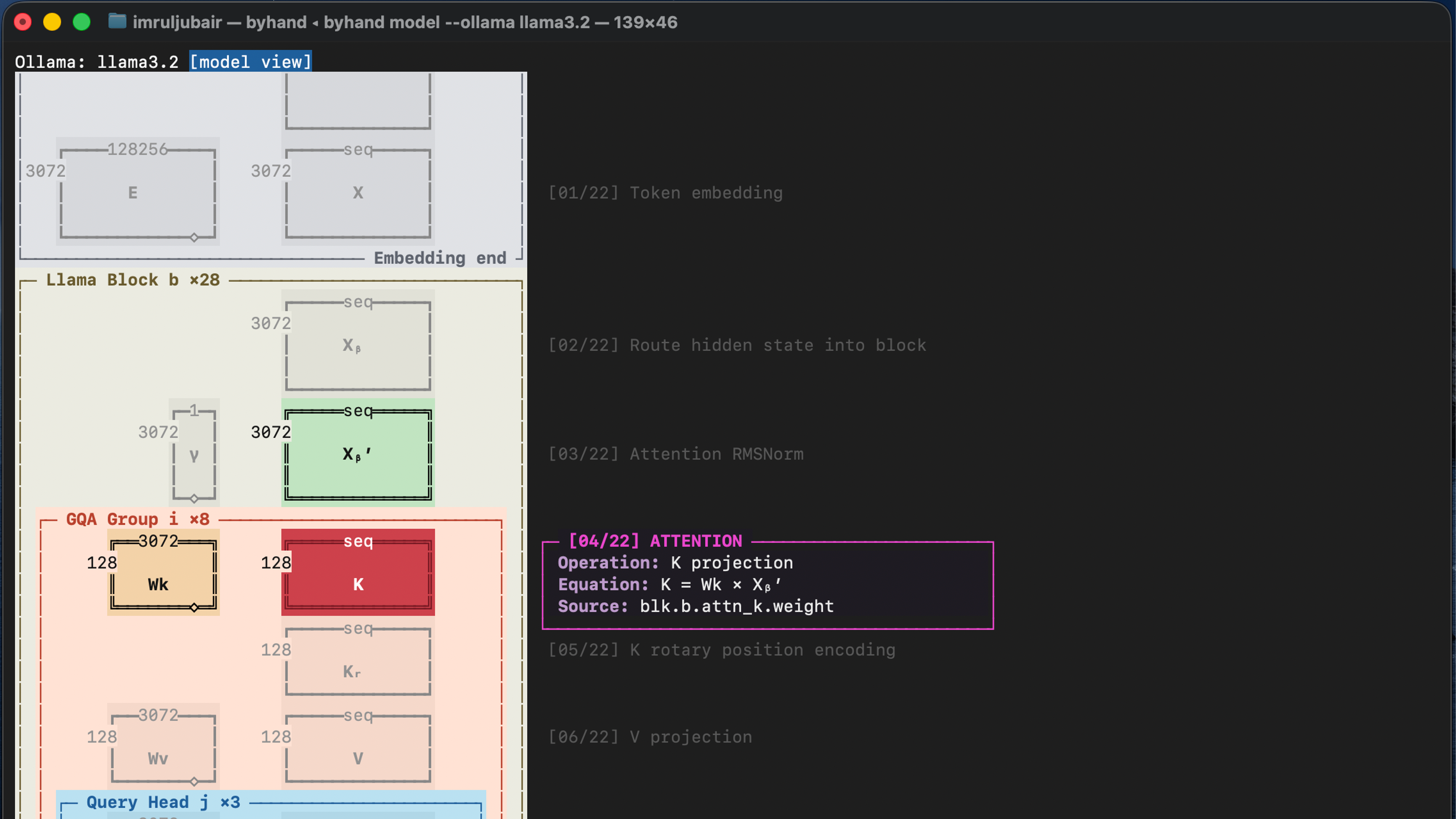
byhand model view showing matrices, dimensions, grouped attention blocks, and an operation annotation
02 Navigate the model view
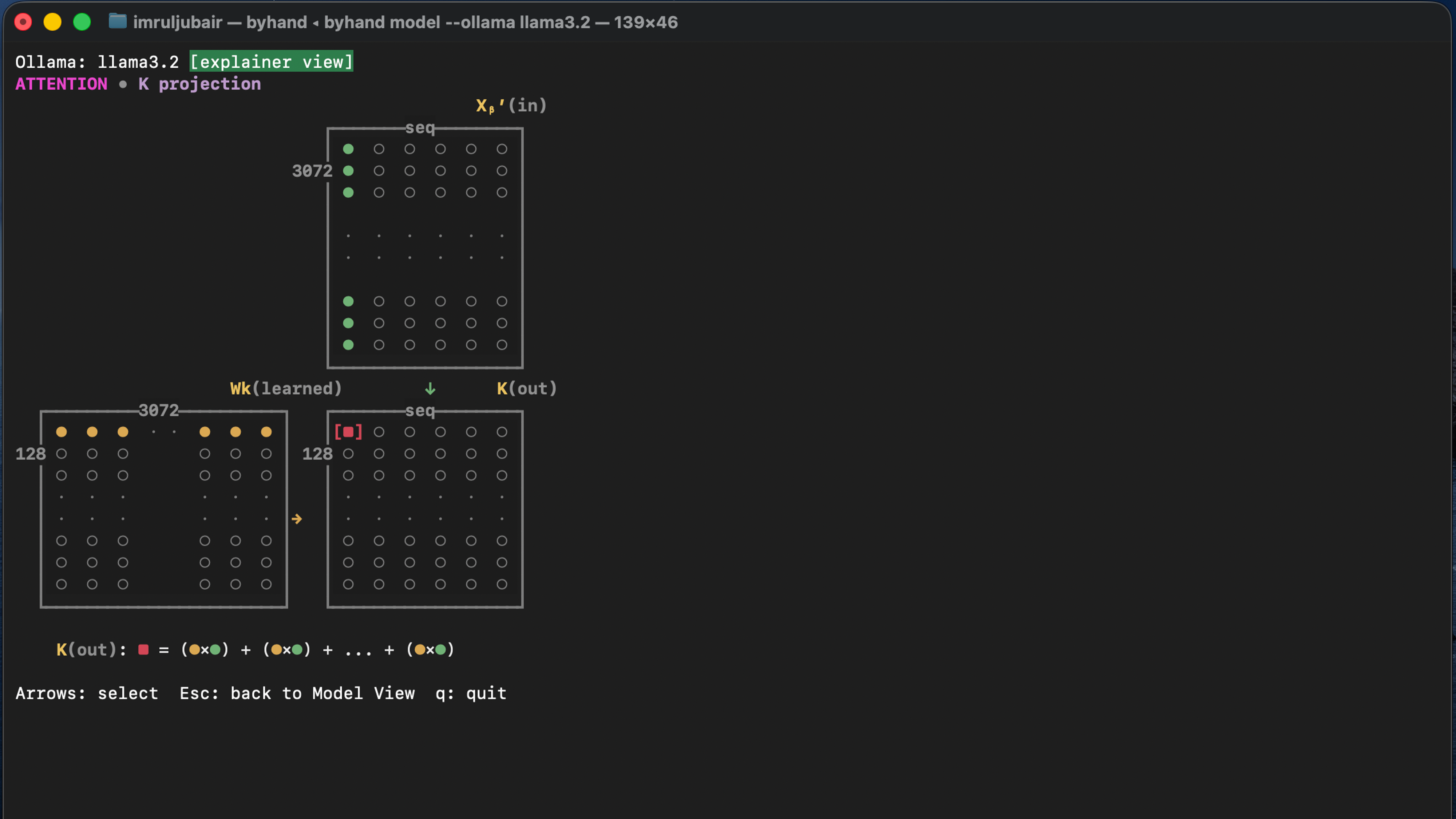
byhand Operation Explainer showing operands, the selected result cell, and matrix multiplication math
03 Inspect an operation

HTML export

Example: llama3.2

Example model visualization exported using:

byhand model --ollama llama3.2 --output html